Twenty or thirty hours for a tutorial
Making a tutorial can take me twenty or thirty hours. Then Webflow releases an update, and parts of what I’ve shown start to age.
The content may still be useful. The principles hold, and the technique still works. But a control has moved, a panel looks different, or there’s a new way to do the same thing. The person watching has to connect what’s happening in the video with the platform in front of them.
For an experienced user, that might be a minor annoyance. For someone learning, it can be where they get stuck.
I was becoming increasingly frustrated with this. I’d spend a considerable amount of time making something that could help people for years, knowing an update might soon make it harder to follow. Sometimes it felt as though that could happen the following week.
Meanwhile, people coming to my channel to learn had to interpret material made for a different version of Webflow, at the very moment they needed a clear explanation they could follow.
That bothered me because sharing what I know matters to me. I want that knowledge to be accessible, useful, and current enough to apply. I was starting to question whether I could really call myself an educator if I couldn’t keep up with the needs of the people I wanted to teach.
When a prompt seemed to be enough
At the same time, AI was changing what people expected from building websites.
I understand the excitement. You type a request, and a page appears. That’s powerful, and it’s easy to get carried away by the possibilities. But I found it frustrating to see how quickly building a website was being reduced to finding the right prompt.
Technically, a website can start that way. Understanding what a client needs, giving the site a distinct identity, and making it communicate in the right voice still involve other decisions. You need to be able to look at the result, assess it, and work out what needs to change.
I also had the impression that interest in Webflow was declining. I don’t have the data to turn that impression into a broader claim, but it was part of what I was experiencing: the platform was changing quickly, tutorials were getting harder to maintain, and the value of learning the tools seemed to be coming into question.
I didn’t immediately arrive at a clear idea. I kept thinking about how I could contribute in a way that still felt useful.
Before you can learn, you have to find the pieces
Something else had been bothering me for a long time: knowledge is scattered everywhere.
One part is in a video, another in the official documentation, and a useful clarification is buried in a forum. You find an explanation that looks promising, then have to work out whether it’s reliable, whether it applies to your version, and how it connects to everything else.
The material might have been an excellent resource when it was published. It may still be. But the working environment has changed, and you’re left to decide which steps to follow and which to adapt.
That’s a lot to ask of someone who’s still learning. Recognizing what has changed already requires some knowledge of the thing you’re trying to study.
I wanted people to have more energy left for understanding and trying things. Finding reliable sources matters, but it shouldn’t keep consuming the time you meant to spend learning.
What knowledge bases made possible
I began to see a possibility when I started exploring knowledge bases: collections of information organized so that related ideas connect.
What excited me was being able to prepare material an AI assistant could draw on to answer a specific question. An explanation could connect to an example, its limitations, common mistakes, and ways to check the result.
That also suggested a different approach to maintenance. If a step changed, I could update the relevant material while keeping its connections intact. Work I’d already done could remain useful through different explanations shaped around people’s questions.
Of course, organizing information doesn’t automatically make every answer reliable. Sources still need to be selected and checked. The material needs maintenance, and it needs to be clear what has actually been verified. The assistant also has to recognize when it’s missing something.
But this was a direction I wanted to explore. I could keep working on explanations, examples, and details while looking for a way to make them available when someone needed them.
From an explanation to your project
That’s where the path toward this experiment began.
With Webflow, there was still a practical difficulty. An answer in a chat can be perfectly clear, but you then have to find your way around the Designer, carry out the steps, and work out whether you got the intended result.
I needed a way to support that part too: to inspect the work where possible, provide useful feedback, and offer visual references without immediately running into the same maintenance problems as a full tutorial video.
The first experience I’ve made public focuses on Webflow classes.
They’re a useful subject for this experiment. Two elements can share a class and change together. At another point, you want to change just one of them. Choosing how to proceed requires understanding the relationship between the elements and the styles you’re editing.
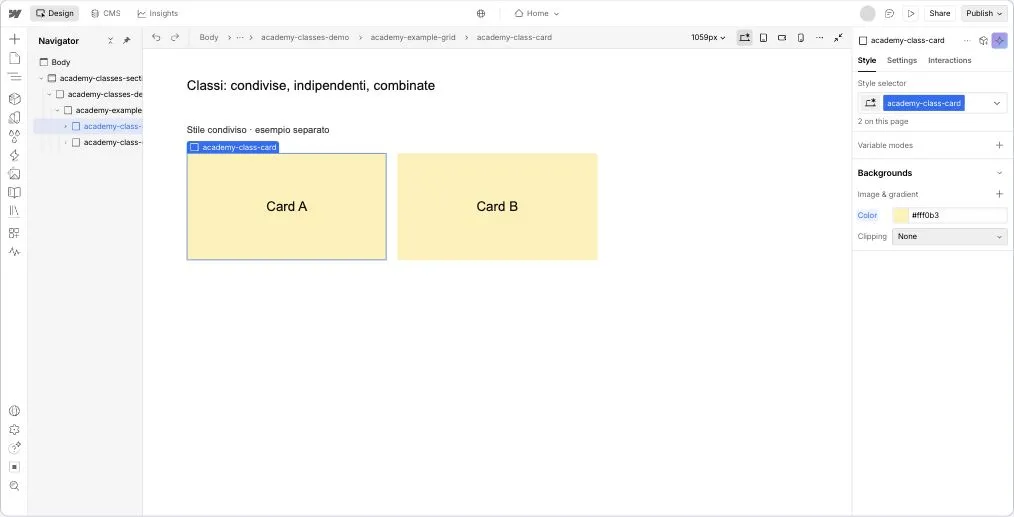
During the lesson, the assistant can ask what you expect to happen, let you try, and help you interpret the result. You make the changes yourself.
When a visual explanation would help, the tutor can offer a link to a page showing the specific step you’re working through. You can see which elements are involved, which control is used, and what changes after the operation.
Some aids compare the starting and final states. Others show a short animated demonstration you can pause and replay. These are reconstructions of the Designer prepared for the lesson. You can consult them while working on your project, then return to your conversation with the assistant.
For an example, open the demonstration of duplicating a class. It shows the operation used to create an independent variation.
Parts of these materials, such as the text and example states, can be updated separately. They still need care and verification, but they let me revise an individual step without necessarily remaking an entire video.
Leah is coming along too
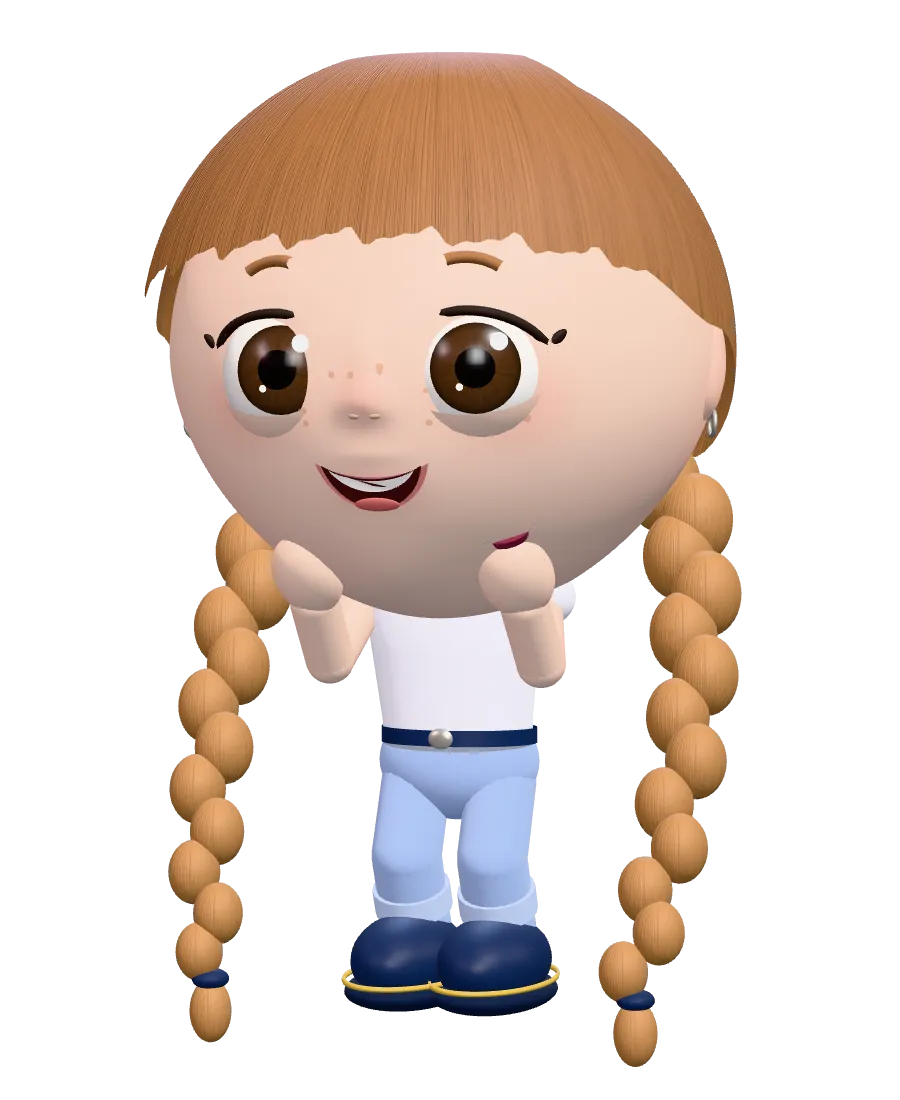
If you’ve visited Learn, you may have already met Leah. She’s the character you’ll find around those pages, and she now helps introduce the experiment too. Over on the blog, it’s me. I’ve made a little room for her here.
You still work through the lesson with your own chosen AI assistant. Leah gives this little learning space a face. Judging by her expression, she’s quite ready to get started.
What I’m still learning
Building this experience has made me reconsider plenty of things that looked straightforward on paper.
A question can seem helpful while already giving away the answer. An overly detailed check can interrupt someone’s thinking. A demonstration can show an operation accurately and still be difficult to follow.
Understanding what the assistant can actually inspect is part of the work too. When it can’t check something, it needs to say so. Trust depends on that as well.
I’ve revised explanations, tutor behavior, and visual materials with these needs in mind. The tests so far have helped me find problems and improve the lesson. Now I need to understand how it feels to people who are genuinely learning the subject.
I’d like them to feel they’ve found a reliable tutor: somewhere to bring a question, work through uncertainty, and get an accessible explanation that pays attention to the details.
That’s where I hope people will continue to recognize my contribution: in the clarity of the explanations, the care, and the desire to share everything I know.
I don’t yet know how close this experience will get to that goal. I believe in it enough to keep working on it, reconsider my decisions, and put it in front of the people I hope it can help.
If you try it, I’d like to hear where you got stuck, which explanation helped, and what you were able to do afterward.
Those experiences will help me work out where to go next.
Have an awesome journey,
Francesco